
Best Digital Marketing Tools for Beginners
Starting with digital marketing can feel overwhelming. There are so many platforms, tools, and strategies out there. I remember when I was just getting started. I spent more time researching tools than actually using them. What I’ve learned is this: you don’t need to know or use everything. You just need to start with the right set of tools that are simple, reliable, and actually make your work easier. In this post, I’ll share the best digital marketing tools I recommend for beginners. These tools cover the basics like social media, email marketing, content creation, SEO, and analytics. I still use many of them today in my work with clients and personal projects. 1. Google Analytics If you want to know how people find and interact with your website, Google Analytics is essential. It helps you understand where your visitors are coming from, which pages they view, how long they stay, and what actions they take. The best part? It’s free. Once installed on your website, it starts tracking data automatically. You can measure traffic, see which content performs best, and learn what’s not working. It’s a great starting point for making informed marketing decisions. 2. Mailchimp Email marketing is still one of the most effective ways to connect with your audience. Mailchimp makes it easy to start building a list and sending newsletters. It comes with customizable templates and simple automation tools. If you’re new to email marketing, you can set up welcome emails, send out weekly updates, and even track how many people opened or clicked your emails. The free plan is more than enough to get started. 3. Canva For creating graphics, Canva is one of the easiest tools out there. You can use it to design social media posts, banners, flyers, and even presentations. It comes with a lot of templates that make your content look polished even if you’re not a designer. While I personally use Adobe Creative Suite for my professional projects, I often recommend Canva to people who are just starting out or need something quick and simple. It helps you maintain a consistent visual style without needing advanced skills. 4. Buffer If you’re managing multiple social media accounts, Buffer can help you schedule posts and stay organized. You can write content in advance and choose when each post should go out on platforms like Instagram, Twitter, LinkedIn, and Facebook. It also gives you basic analytics so you can track what type of content performs best. This helps you improve over time without having to log in to each platform separately. 5. Ahrefs Webmaster Tools (Free Version) Understanding SEO is important if you want people to find you through Google. Ahrefs Webmaster Tools lets you monitor how your website appears in search results. You can see which keywords bring traffic, what technical issues are hurting your rankings, and which pages need improvement. This is different from the full version of Ahrefs, which is a premium tool. The free version is more than enough for beginners who want to monitor their SEO health and start improving their rankings step by step. 6. Google Search Console This is another free tool from Google that shows how your website is performing in search. You can see how often your pages appear in results, what search terms people use, and how many clicks you’re getting. It also alerts you if something is wrong with your site, like broken pages or slow loading times. It works well alongside Google Analytics and helps you stay on top of your SEO performance. 7. Grammarly Writing is a big part of digital marketing. Whether you’re creating blog posts, captions, or emails, your words need to be clear and professional. Grammarly checks your writing for grammar, spelling, and tone. It works in browsers, Google Docs, and even social media platforms. I’ve used Grammarly for years. It’s like having a second pair of eyes on everything I write. The free version is helpful, and there’s a premium version if you want deeper suggestions. 8. Ubersuggest If you want a free and beginner-friendly keyword research tool, Ubersuggest is a solid option. It shows you what people are searching for, how competitive those keywords are, and gives you ideas for blog topics. It also includes basic SEO audit features, like site speed and backlink reports. If you’re planning content or working on your website, this tool helps you choose the right words to target and build your strategy around. 9. Notion Digital marketing involves a lot of planning. You have content calendars, social media plans, email sequences, and more. Notion is a flexible workspace that helps you organize everything in one place. You can create checklists, tables, calendars, and notes. It’s especially useful if you’re working solo or just starting to structure your workflow. I’ve used it to map out content ideas, manage campaigns, and even plan entire websites. 10. Google Trends Understanding what’s trending helps you stay relevant. Google Trends shows you what people are searching for in real time. You can compare keywords, check seasonal interest, and get inspiration for new content. This tool is great for planning blog posts, product launches, or even just figuring out what kind of topics your audience might be interested in today. Final Thoughts You don’t need to learn every tool at once. Start with the basics. Pick the ones that match your current goals. For example, if you’re building a website, begin with Google Analytics and Search Console. If you’re growing on social media, start with Canva and Buffer. Over time, as your skills grow, you’ll naturally explore more advanced tools. The key is to stay consistent, track what works, and keep improving. Digital marketing is not about using the most tools. It’s about using the right ones, and using them well.
How to Build a Personal Brand That Stands Out Online
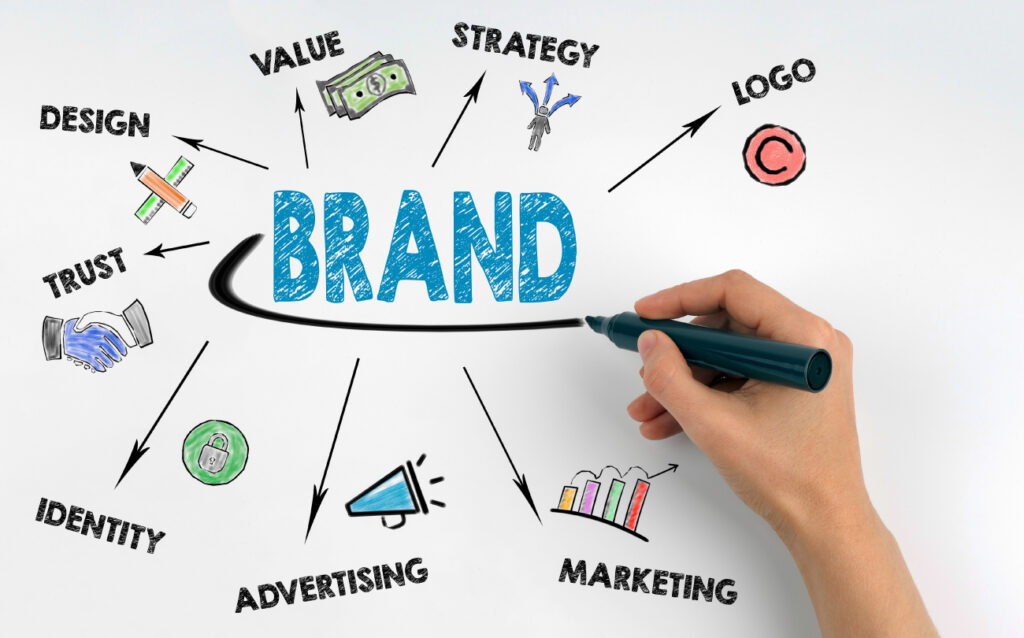
In a crowded digital space, having a strong personal brand can open doors, build trust, and help people remember what you bring to the table. I’ve worked with professionals and business owners who had the right skills but struggled to get noticed online. The good news is, building a standout personal brand doesn’t require being famous or flashy. It starts with clarity, consistency, and real connection. 1. Define What You Want to Be Known For Before designing logos or picking colours, take a step back and ask yourself: what do I want people to associate with me? It could be a skill, a point of view, or the way you solve problems. For me, it’s combining digital strategy with design that drives real results. Knowing this helps guide what I post, how I show up online, and what projects I say yes to. This clarity shapes everything. Without it, your brand will feel scattered. Take some time to write it down. Keep it simple. You can always refine it as you grow. 2. Use Your Real Voice People connect with people, not corporate jargon. If you’re friendly and informal in real life, let that come through in your content. You don’t have to sound like a polished speaker or a marketing expert. You just need to sound like yourself. When I started sharing online, I tried to sound “professional” in the traditional sense. It came off as dry. When I shifted to a more honest and conversational tone, people started responding. They shared posts, left comments, and reached out. That made all the difference. 3. Show What You Know A lot of people feel stuck because they think they need to be experts before they share anything. That’s not true. Your brand doesn’t grow from perfection, it grows from contribution. If you’re learning something new, document it. If you just finished a project, talk about what you did and how it went. If you’ve picked up tips that helped you solve a problem, share them. I’ve found that the most engaging content is often the simplest — clear takeaways, helpful advice, or even honest reflections. 4. Keep Your Visuals Clean and Consistent Design matters, even for personal brands. You don’t need to be a graphic designer, but having a consistent look helps people recognize you. That could mean using the same profile photo across platforms, sticking to a few colours and fonts, or posting with the same layout each time. 5. Focus on One or Two Platforms First There are a lot of places you could be online, but trying to be everywhere can lead to burnout. I recommend choosing one or two platforms where your audience is most active and where you’re comfortable showing up. For me, that’s LinkedIn and my portfolio site. LinkedIn gives me space to share work, ideas, and connect with other professionals. My website lets me showcase deeper projects and skills. I still use Instagram from time to time, but I don’t try to do everything at once. 6. Be Patient and Stay Active It’s easy to get discouraged when things don’t pick up quickly. I’ve been there. Some posts get attention, others barely move the needle. That’s normal. The people who build strong personal brands are the ones who keep going. You don’t need to post every day. You just need to stay visible. That could be weekly updates, blog posts once a month, or sharing your thoughts after finishing a project. Every time you show up, you remind people what you do and why it matters. 7. Don’t Wait for Perfect Perfection slows people down. I’ve seen it in clients, and I’ve felt it myself. “I’ll post when my website is ready.” “I’ll launch when my portfolio is perfect.” Meanwhile, time passes and no one knows what you’re working on. Start where you are. Share what you have. Adjust along the way. Final Note Your personal brand is not just about design or content. It’s about trust. When people see your work, hear your voice, and feel your consistency, they’re more likely to believe in what you offer. That’s how relationships grow. That’s how opportunities start. The online space is busy, but it’s not too late to stand out. Show up with value, speak with clarity, and stay real. That’s what people remember.